01
The diya anchor
One large cell for your steadiest diya or lantern shot — this becomes the heartbeat of the whole collage.
Turn your diya-lit evenings, rangoli close-ups, and family puja moments into one glowing Diwali collage you can share on WhatsApp before the sweets run out.
 Festival Keepsake
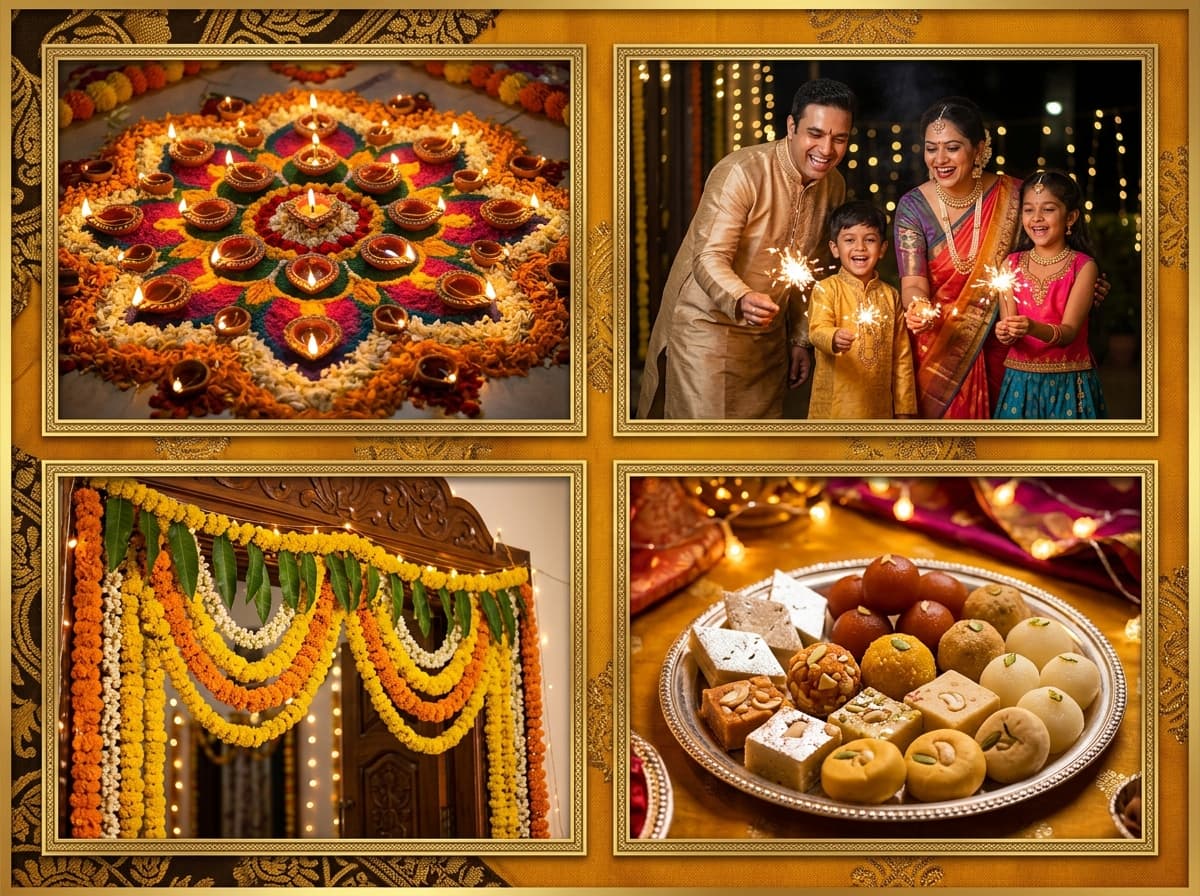
Diwali gives you some of the most photogenic five days of the Indian calendar — marigold doorways, sparkler trails, new clothes, and a house full of people who only meet once a year. The trick to a great Diwali collage is contrast: pair one warm, glowing shot with calmer frames around it so the lights actually feel bright. A grid full of flash photos all fighting each other reads as noise.
Pick one anchor frame — usually the diya bokeh or the family aarti moment — and let it take the largest cell. Everything else should support that mood: sweets, haldi-yellow outfits, rangoli patterns, kids with sparklers. Export in square for WhatsApp groups and you have a greeting that feels personal instead of forwarded.
Capture these key frames during Diwali to tell the full, heartfelt story.
One large cell for your steadiest diya or lantern shot — this becomes the heartbeat of the whole collage.
Shoot the rangoli straight down from standing height so the pattern fills the frame edge to edge.
Kids waving phuljhadis leave light trails — these shots look stunning beside calm portraits.
Puja thali, sweets, and flowers shot together tell "preparation" before any faces appear.
The new-outfit selfie everyone takes — crop it tight so faces stay visible at cell size.
Your widest shot of everyone gathered closes the story: this is why the day mattered.
Upload your festival photos below — 100% private, free, and watermark-free.
The interactive collage editor loads right here. Combine up to 40 photos into one HD collage with 12 smart layouts, then download it instantly as PNG or JPEG — free, no signup, and your photos never leave your device.
Upload up to 40 photos from your phone gallery or computer.
Choose from 12 smart grid layouts and drag photos into place.
Export a watermark-free PNG or JPEG, ready to share anywhere.
Make sure you have all the essential shots before printing or posting.
Lead with your single brightest, warmest frame — everything else supports it
Alternate close-ups with one wide room shot so the grid can breathe
Skip blurry sparkler bursts; keep only the ones with clean light trails
Keep backgrounds in the gold-maroon-orange family for visual harmony
Export square JPEG for WhatsApp Status, PNG if you plan to print it
Diwali photos are shot at night. The brightness and saturation sliders rescue underexposed diyas without washing out the flames.
Load your whole Diwali album, then drop the best nine into a 3×3 or magazine layout — switching layouts never deletes your uploads.
Export at 1:1 in lightweight JPEG so the collage uploads fast even on festival-night network traffic.
Pull 10–15 Diwali shots into one gallery folder — diyas, sweets, family, decor.
Drop your best light photo into the largest cell first, then fill outward.
Download HD and post to Status while the diyas are still lit — timing is engagement.
The 3×3 grid suits full-family albums, while Big+2 layouts flatter collages built around one dramatic diya or aarti shot. You can switch between them anytime without losing placements.
Yes. Select any cell and raise brightness and saturation with the adjust sliders — night shots typically need +10 to +20 brightness to make flame colours pop.
Square (800×800) exports as a compact JPEG under 1 MB, which uploads quickly and fills the Status screen neatly.
Completely. No signup, no watermark, no export limits — the same free editor powers every page on CollageMaker.in.
No. Everything runs inside your browser; your Diwali photos never leave your phone or laptop.
Turn this year's diwali photos into one share-worthy collage — free, watermark-free, done in minutes.